Guide · Comparison
Proforma invoice vs quotation: which one to send
Both give a price before the sale. The quotation opens the discussion; the proforma invoice closes it, in a form that a bank, a licensing office or a purchasing department can file.
Updated 17 October 2026 · 3 min read
The short answer
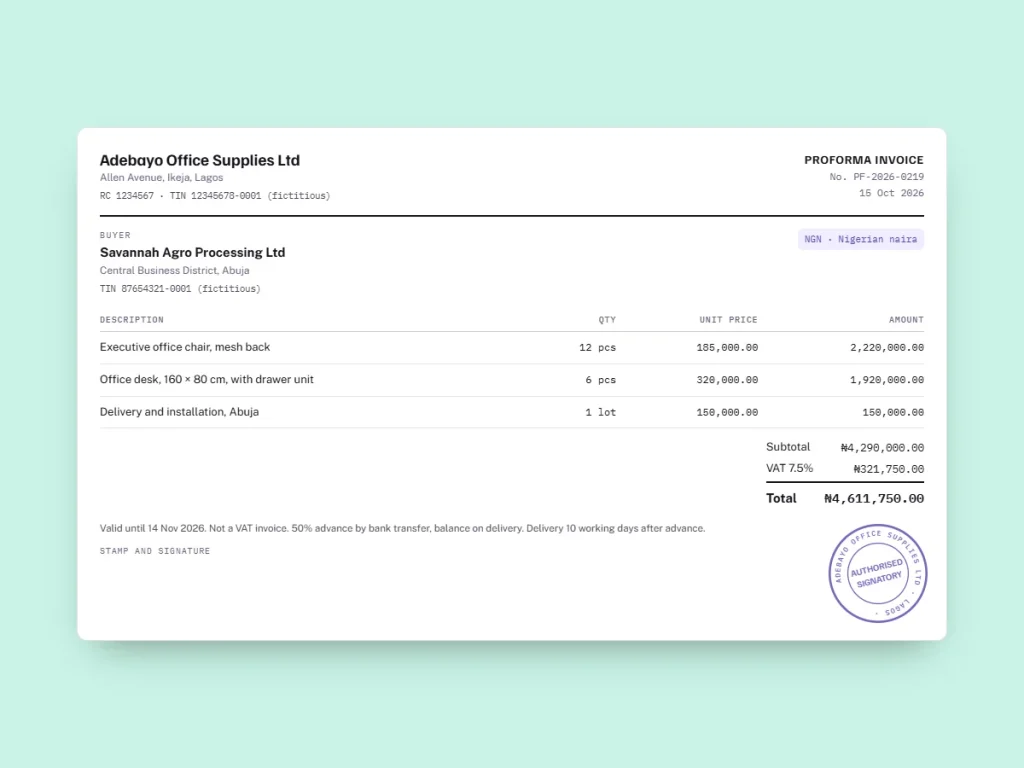
A quotation answers “how much would it cost?”. A proforma invoice answers “what exactly will you supply, at what price, on which terms and until when?”. Send a quotation to negotiate, and a proforma once the buyer is ready to order, pay a deposit or apply to a bank.
From the guide to the document
Your proforma with these details, ready as a PDF.
Side by side
| Quotation | Proforma invoice | |
|---|---|---|
| Question it answers | How much would it cost? | What exactly will be supplied, for how much, on which terms? |
| Stage | Early, during negotiation | Late, when the buyer is ready to commit |
| Detail | Can be short, or give options | Final lines, quantities, unit prices and total |
| Layout | Free form, sometimes an email | Laid out like an invoice |
| Terms | Often indicative | Currency, delivery terms, payment terms, validity |
| Accepted by banks and licensing offices | Rarely | Usually requested |
| Binding | Depends on the wording and local law | An offer that binds you once accepted |
| Accounting or tax entry | None | None |
When a quotation is enough
A quotation is the right document when the buyer is still comparing suppliers, when quantities or specifications are still moving, or when you want to offer options: two grades of material, three delivery dates, a price with and without installation. It can stay short, and you can revise it as many times as the discussion needs.
For a small domestic job, a signed quotation is often all the paperwork there is before the invoice.
When the buyer asks for a proforma
Buyers ask for a “PI” when the document has to leave their desk:
- To open a letter of credit. The bank copies the description, amount, currency and delivery terms from the proforma. See letters of credit for small exporters.
- To import. In Nigeria, the importer’s bank needs the supplier’s proforma to process Form M; in Kenya, KRA lists the exporter’s proforma among the documents for clearing goods. See import rules by country.
- To pay a deposit. Finance teams rarely release money against a quotation; a proforma with bank details and the deposit amount is what they pay. See proforma invoice for advance payment.
- For an internal approval or a tender file. A document in invoice form, with a number and a validity date, is easier to approve and file.
From quote to proforma to invoice
The safest sequence keeps one set of lines from start to finish: the accepted quotation becomes the proforma, the proforma becomes the invoice, and nothing is retyped. Every retyping is a chance to change a description or a price by mistake.
In InvoiceProforma, quotes and proformas share your customer and product lists, and either one can be turned into an invoice in one click, keeping its lines and currency. Each document type keeps its own numbering series.
What to write on each
On the quotation: “Quotation”, a number, the date, how long the price stands, the options and what is excluded (transport, installation, taxes).
On the proforma invoice: “Proforma invoice”, a number in its own series, the date and validity, your tax identifiers, the buyer’s details, the final lines, the currency, the tax that will apply, the delivery terms (for example an Incoterms® 2020 rule and named place), the payment terms and bank details, and the line “This is not a tax invoice.”
Free template
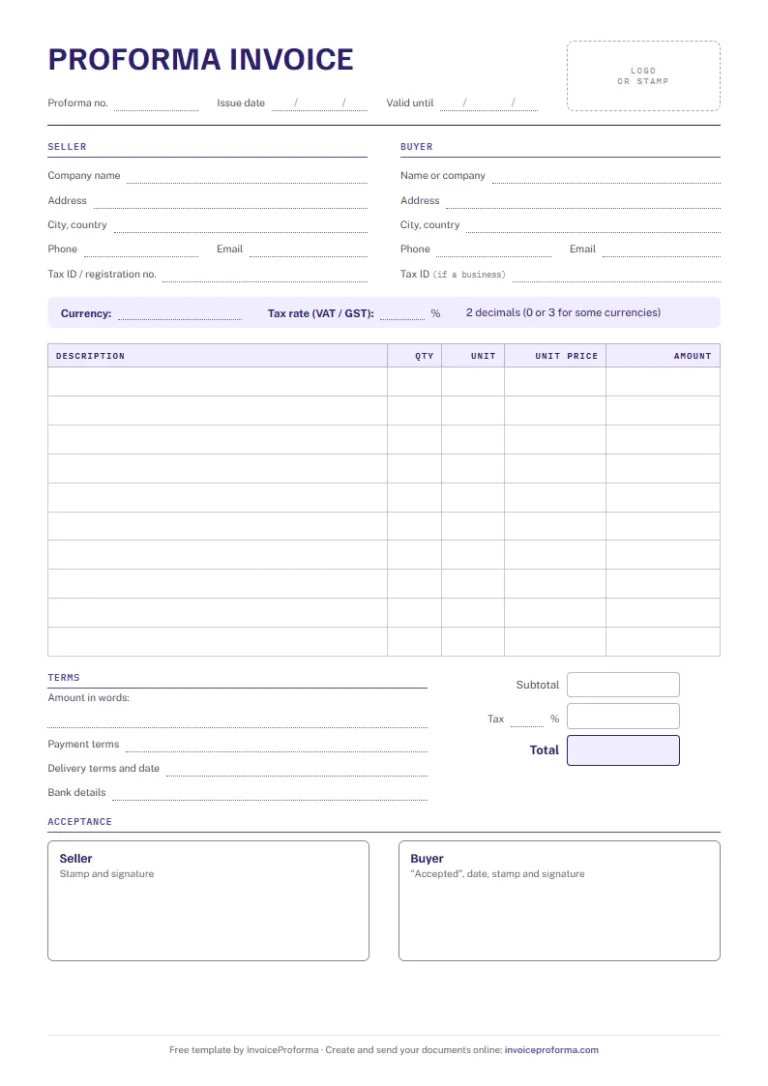
Simple proforma invoice template
Seller, buyer, lines, tax, total, amount in words, payment and delivery terms, bank details and acceptance. A4, free, no sign-up.
Questions
Proforma Invoice vs Quotation: your questions
Is a proforma invoice the same as a quotation?
No. Both come before the sale, but the proforma is final and complete: the exact lines, the currency, the terms and the validity, laid out like the invoice that will follow.
Can I send a proforma without a quotation first?
Yes. When the price is already agreed, by phone or email, you can go straight to the proforma.
Which one is legally binding?
Both can be, depending on the wording and the law that applies. A proforma is normally drafted as a firm offer, so it binds you once the buyer accepts it within its validity.
Does a quotation or a proforma need tax on it?
Show the tax the buyer will pay so they know the total, but neither document makes tax due. Tax is charged on the invoice.
Can InvoiceProforma turn a quote into a proforma?
It turns a quote or a proforma into an invoice in one click. To go from a quote to a proforma, create the proforma from the same customer and products: the lists are shared.
Sources and updates
Checked on 17 October 2026. Tax and customs rules change: for your own case, confirm with the authority concerned, your bank or a tax adviser.
Read next
Related guides
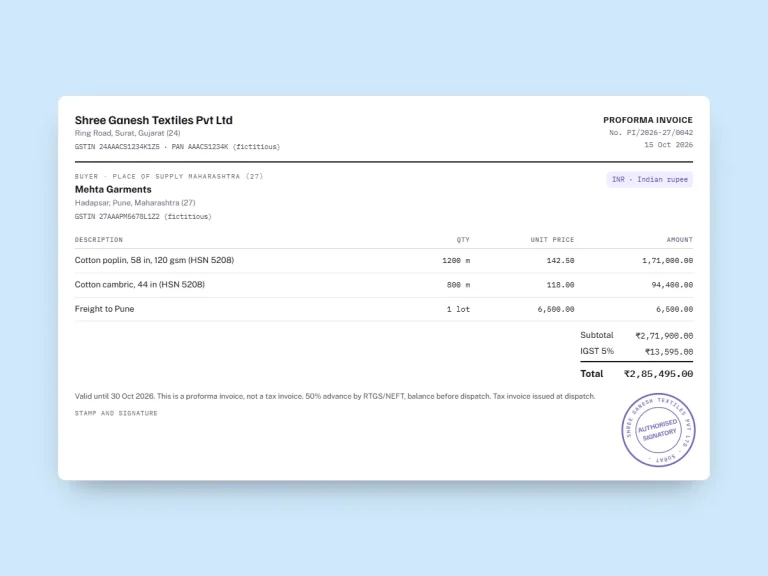
A proforma invoice is an offer; an invoice is a demand for payment. Legal effect, tax, accounting and numbering compared, with a table and examples.
How to request an advance payment with a proforma invoice: what to write, sample wording, what to issue when the money arrives, and tax on advances.
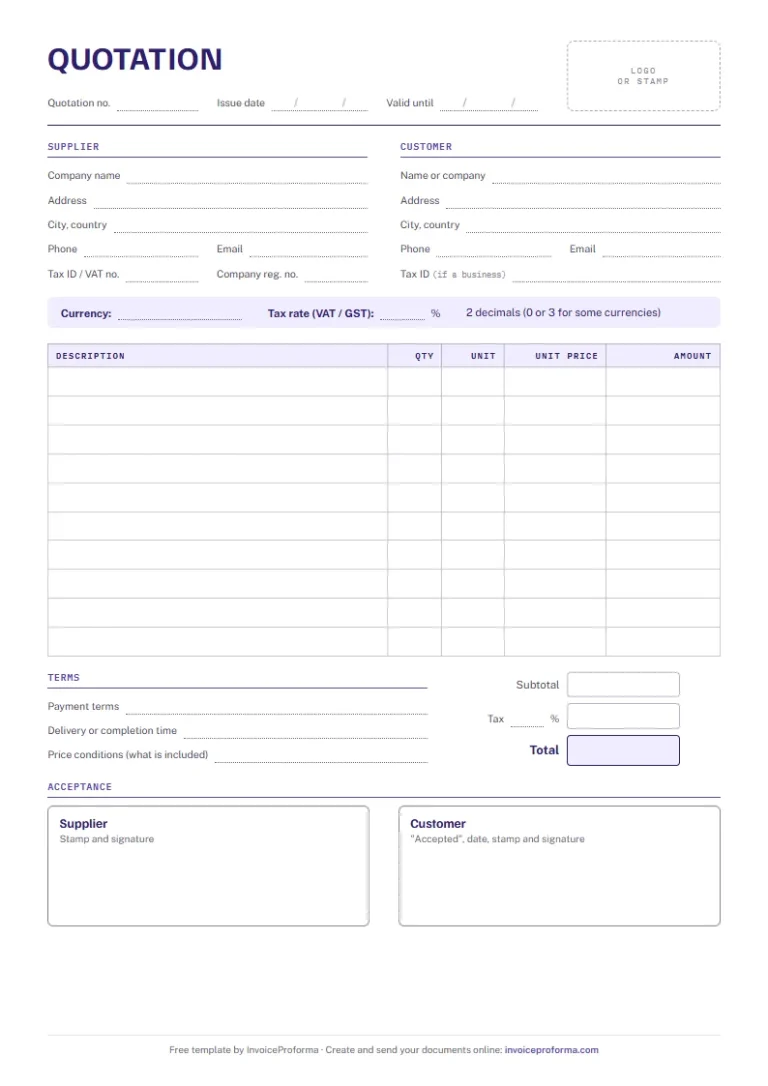
Free quotation template in Word, Excel and PDF: quotation number, validity date, lines, tax, total, payment terms and the customer's signed acceptance.
Six documents, one app
From the quote to the receipt
One customer file, one product list and your own layout serve all six documents. An accepted quote or proforma becomes an invoice without retyping.
1. The price
Quote
QUO-2026-0012
Your price for the job, with a validity date and space for the buyer to accept it.
2. The firm offer
Proforma invoice
PI-2026-042
What your buyer’s bank, their forwarder or their purchasing team asks for before the order.
3. The order
Purchase order
PO-2026-0007
What is ordered, how many and for which delivery date, signed by the buyer.
4. The delivery
Delivery note
DN-2026-0007
It travels with the goods; the consignee signs it and writes down any reservation.
5. The sale
Invoice
INV-2026-0031
The accepted proforma or quote becomes the invoice, with the same lines and currency.
6. The payment
Payment receipt
REC-2026-0019
Proof of a payment, linked to its invoice, with the method and the balance still due.
Your next proforma invoice, already in your colours
Three free documents, no card required. Your tax IDs, bank details and payment terms are typed once, then printed on every PDF.