Guide · How-to
How to make a proforma invoice, step by step
A good proforma takes ten minutes once you have the right details in front of you. Here is what to collect, the eight steps in order, and a checklist to run before you press send.
Updated 17 October 2026 · 3 min read
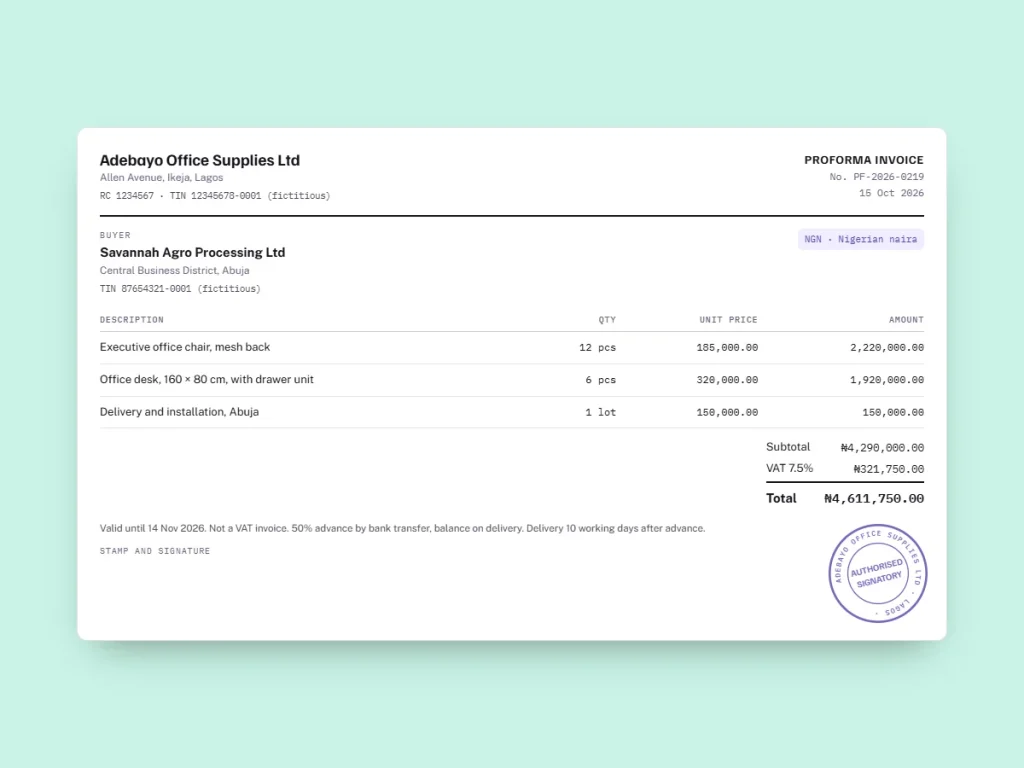
The eight steps
Title and number · your details · the buyer · the lines · currency and totals · the tax · the terms · validity, signature and PDF. Collect the buyer’s exact details and agree the currency and delivery terms first: they are what most often has to be corrected.
From the guide to the document
Your proforma with these details, ready as a PDF.
Before you start: what to collect
- The buyer’s legal name, full address and tax number, exactly as their bank or customs will expect them.
- For each item: description, grade or model, quantity, unit and unit price. For goods crossing a border, the HS code and country of origin.
- The currency agreed with the buyer.
- Delivery terms: date or lead time, and for international sales an Incoterms® 2020 rule with a named place.
- Payment terms: deposit, balance, method, and your bank details.
- How long you can hold the price.
The eight steps
- Title it and number it. Write “Proforma invoice” at the top, with a number from a series of its own (for example PI-2026-001) and the date.
- Add your details. Company name, address, phone, email and the tax identifiers your country uses: VAT number, GSTIN, KRA PIN, TIN, registration number.
- Add the buyer. Name, address, country and tax number if they are a business.
- List the lines. One line per item, with a description a third party can check, the quantity, the unit and the unit price. Add freight, packing or installation as separate lines.
- Set the currency and the totals. One currency for the whole document. Subtotal, tax, total; check the rounding, especially for currencies with 0 or 3 decimals.
- State the tax. The rate and amount the buyer will pay, or the reason none applies (“export, zero-rated”, “exempt”). Add “This is not a tax invoice.”
- Write the terms. Delivery terms, payment terms, bank details, and for exports the country of origin.
- Close it. Validity date, your stamp and signature, then send it as a PDF, not as an editable file.
In Word or Excel
Our free templates have every field above. The Word version is for typing into the boxes; the Excel version calculates line amounts, tax and total for you. Two habits avoid most errors: save each proforma under its number, and export to PDF before sending so the layout cannot move.
Online, with InvoiceProforma
In InvoiceProforma, steps 1, 2 and 5 are done for you: the number follows your proforma series, your details, tax identifiers, bank details and footer are filled in from your company profile, and totals are calculated in the currency you pick, with its own decimals. You choose the buyer from your customer list, the items from your product list, set the tax rate, and download a PDF with your logo, stamp and signature, or send it by email or WhatsApp.
The app has no dedicated fields for HS codes or Incoterms: write them in the line descriptions and in the document note, where they print on the PDF.
Checklist before sending
- Is the buyer’s name spelt exactly as on their bank or import documents?
- Would a bank officer understand every description without asking?
- Is there one currency, written clearly, and do the totals add up?
- Is the tax treatment stated, and does the document say it is not a tax invoice?
- Are the delivery terms complete, with a named place for any Incoterms® rule?
- Are the payment terms and bank details correct?
- Is there a validity date you can honour?
Free template
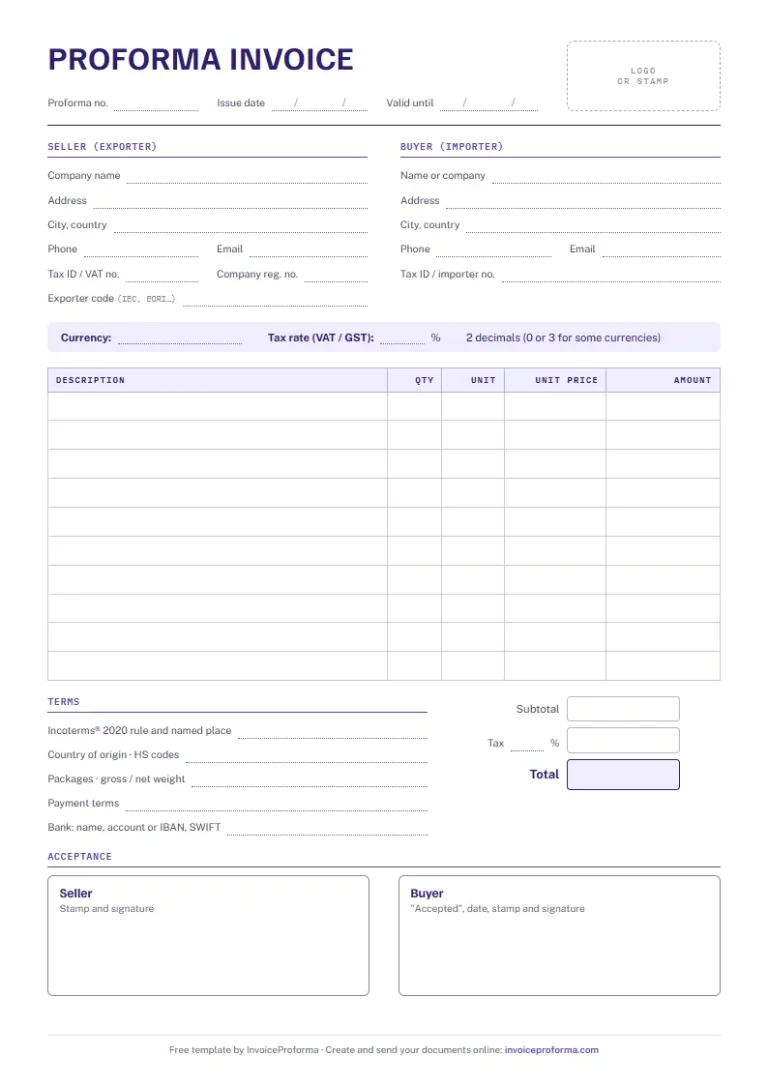
Proforma invoice template for export
Seller and buyer tax IDs, exporter code, lines, tax and total, Incoterms® rule, origin, HS codes, weights and acceptance. A4, free, no sign-up.
Questions
How to Make a Proforma Invoice: your questions
How do I make a proforma invoice in Word?
Download the Word template, type into the boxes, add your logo, then save as PDF from Word or Google Docs before sending.
How do I make a proforma invoice in Excel?
Download the Excel template and fill in the yellow cells; line amounts, tax and total are calculated. Print or export to PDF; the A4 page is already set up.
What number should a proforma invoice have?
A number from a series used only for proformas, such as PI-2026-001, so it never gets mixed up with your invoices.
How long should a proforma invoice be valid?
As long as you can hold the price: 15 to 30 days is common, and 60 to 90 days when the buyer needs a licence or a letter of credit.
Can I make a proforma invoice on my phone?
Yes. InvoiceProforma works in the phone’s browser, and the PDF can be sent straight from it by WhatsApp or email.
Sources and updates
Checked on 17 October 2026. Tax and customs rules change: for your own case, confirm with the authority concerned, your bank or a tax adviser.
Read next
Related guides
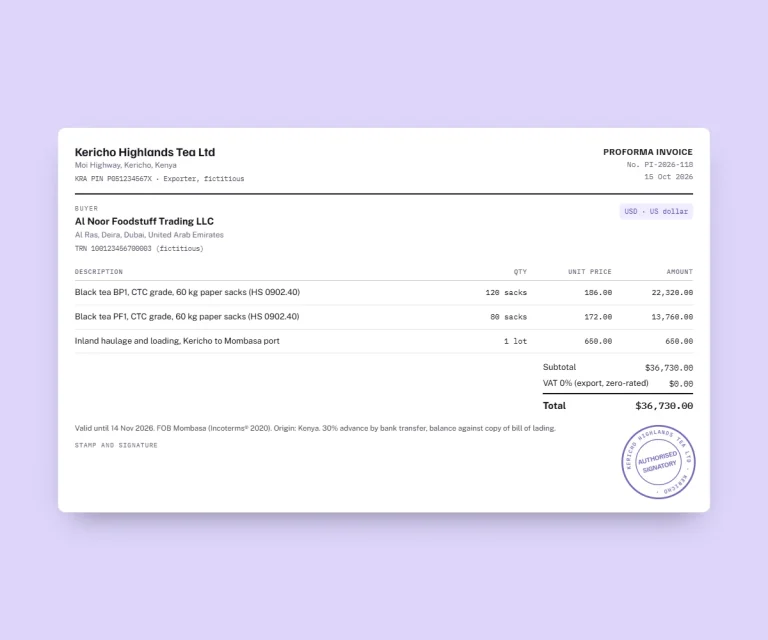
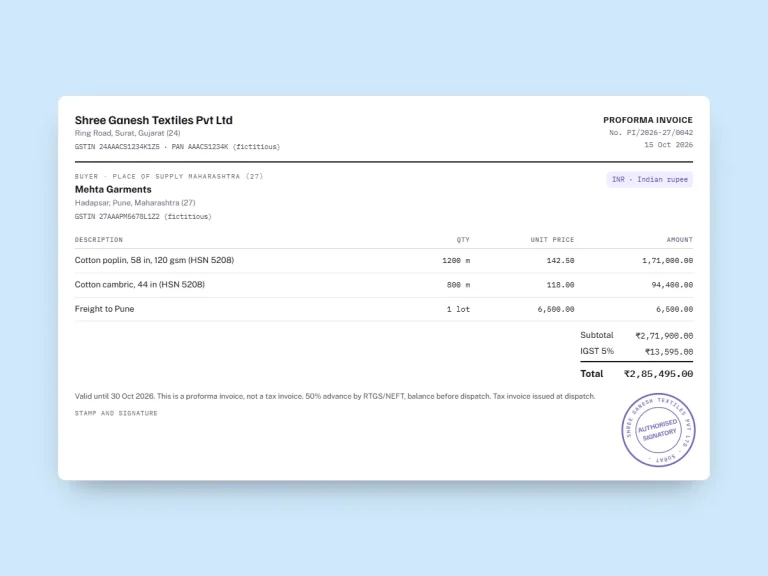
Three filled proforma invoice examples: an export from Kenya in US dollars, a GST proforma in India and a VAT proforma in Nigeria, every line explained.
An export version with Incoterms, origin and HS codes, and a simple version. No sign-up.
A proforma invoice is an offer; an invoice is a demand for payment. Legal effect, tax, accounting and numbering compared, with a table and examples.
Six documents, one app
From the quote to the receipt
One customer file, one product list and your own layout serve all six documents. An accepted quote or proforma becomes an invoice without retyping.
1. The price
Quote
QUO-2026-0012
Your price for the job, with a validity date and space for the buyer to accept it.
2. The firm offer
Proforma invoice
PI-2026-042
What your buyer’s bank, their forwarder or their purchasing team asks for before the order.
3. The order
Purchase order
PO-2026-0007
What is ordered, how many and for which delivery date, signed by the buyer.
4. The delivery
Delivery note
DN-2026-0007
It travels with the goods; the consignee signs it and writes down any reservation.
5. The sale
Invoice
INV-2026-0031
The accepted proforma or quote becomes the invoice, with the same lines and currency.
6. The payment
Payment receipt
REC-2026-0019
Proof of a payment, linked to its invoice, with the method and the balance still due.
Your next proforma invoice, already in your colours
Three free documents, no card required. Your tax IDs, bank details and payment terms are typed once, then printed on every PDF.